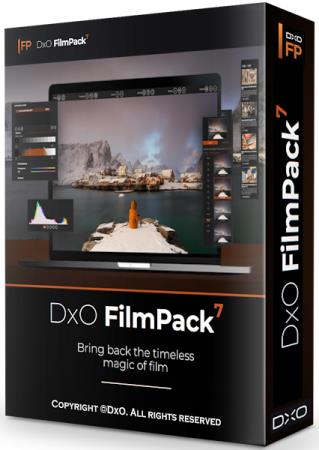
DxO FilmPack 8 — настоящий ретро-стиль в цифровой фотографии. DxO FilmPack — это подключаемый модуль для Adobe Photoshop, Adobe Lightroom и DxO Optics Pro. Кроме того, доступен как автономное приложение. DxO FilmPack придает цифровым изображениям стиль самых известных фотопленок: цвета — и зернистость! , включая Kodachrome, Tri-X, Velvia, были проанализированы и воспроизводятся так, чтобы они могли быть применены ко всем вашим снимкам одним щелчком мыши.
DxO FilmPack позволяет с лёгкостью придать любому цифровому изображению стиль фотографии, снятую на чёрно-белую или цветную фотоплёнку, включая воспроизведения легендарных плёнок, на которые снимали великие фотографы прошлого столетия. Пакет прост в использовании и основывается на изменении основных характеристик исходного изображения, наиболее приближённых к реакции на свет и цвет оригинальной плёнки, затем применяется зерно для придания особенностей плёнки. Конечно же, DxO FilmPack делает копии, не изменяя исходные изображения, которые затем можно сохранить и использовать для других плёнок.
Разработчики компании опираются не только на математику, но и на тысячи лабораторных замеров. Точно так же они подошли и к созданию Film Pack. Если приложение должно давать эффект такой же, как при использовании старых пленочных камер и фотобумаги, то делать его надо, отсняв массу фотографий на эти пленки и скрупулезно изучив полученный результат.
Убрать цвет в любом фоторедакторе — дело нескольких секунд, но по сравнению с результатами Film Pack выглядит это очень не реалистично. 27 популярных моделей черно-белой фотопленки было реализовано в программе со всеми особенностями: передачей полутонов, зернистости, контрастности и всем остальным. Вы сможете стилизовать свои фотографии под картинку таких знаменитых пленок, как Kodak® Tri-X®, Fuji® Neopan®, Polaroid® и других.
Помимо имитации настоящих пленок, в арсенале Film Pack есть также разработанные дизайнерами настройки, призванные добавить креативности вашим фотографиям. Пусть у них нет аналогов из реального мира, эти настройки выглядят не менее здорово.
Основные возможности:• Новые эффекты для неограниченного творчества: придайте вашим фотографиям еще более индивидуальный почерк, применяя различные эффекты, такие как виньетирование, текстуры, рамки и освещение.
• Более 80 подлинных визуализаций фильмов и 38 творческих визуализаций.
• Поэзия цветной пленки применяется для цифровых фотографий.
• Оригинальные эффекты: тонирование, цветовые фильтры, текстуры, виньетирование, размытие.
• Дополнительные настройки: цветовой тон, насыщенность, осветление, затемнение, яркость, микроконтраст, обрезка.
• Отдельное приложение и плагин к DxO Optics Pro, Adobe® Photoshop®, Adobe® Photoshop® Elements®, Adobe Lightroom®.
• Пакетная обработка изображений.
• Настраиваемые шаблоны.
• Печать изображений.
• Предустановки импорта / экспорта.
• Эффекты Polaroid, воспроизведение мягкости пленки Fuji REALA для портретов, эффекты зерна Kodak Tri- X;
• Объединение цветопередачи в одном снимке с зерном в другом, добавление фильтров;
• Качественное отображение цвета, насыщенности, контрастности и зерна аналоговой фотографии на цифровых фотоснимках;
• Простой, интуитивно понятный и удобный пользовательский интерфейс, добавление эффектов в несколько кликов;
• Быстрая и простая обработка фотографий;
• The all-new Time Warp mode brings a playful, immersive way to connect with photographic history
The all-new Time Warp mode brings a playful, immersive way to connect with photographic history. A Time Travel slider allows users to scroll through more than two centuries of film evolution, instantly previewing and applying authentic analog styles that reflect each era’s defining looks. These renderings go far beyond color grading, recreating the film grain, tonal shifts, and surface textures that made each stock unique.
Also inside Time Warp mode is a new Ageify slider, which applies realistic image degradation to simulate the aesthetic of aging prints — perfect for storytelling, nostalgia, or creative experimentation.
• Full Photoshop integration: DxO’s authentic film looks, right where you need them
DxO FilmPack 8 now offers seamless integration with Adobe Photoshop, giving you instant access to the entire rendering library as a dedicated palette. Apply analog-inspired looks directly to layers or flattened images — no need to switch apps or disrupt your editing flow.
Together with support for DxO PhotoLab 9 and Adobe Lightroom Classic, DxO FilmPack 8 fits effortlessly into your existing setup, delivering the timeless character of film within any digital workflow.
• 15 new renderings, from CineStill 800T?to Harman Phoenix 200
DxO FilmPack 8 expands its analog collection with 15 new film renderings, each created using laboratory-grade analysis of real film stocks.
Highlights include CineStill 800T, loved for its cinematic glow in low light; Harman Phoenix 200, a bold new color film; Lady Grey B&W 120 ISO 400, known for its refined black-and-white tones; and the ultra-high-speed Kodak.
With these additions, DxO FilmPack 8 now offers 153 authentic film renderings — the most complete and scientifically faithful collection of its kind.
• Scanned Film Optimization: Get the perfect foundation for your scanned images
DxO FilmPack 8 introduces the Scanned Film Optimization panel — a new tool designed for photographers working with scanned film. With one click, you can invert color or black-and-white negatives and apply helpful corrections using over 10 dedicated Tone Curve presets.
From fixing color shifts to correcting density, these presets make it easy to restore and refine your scans.
• More Time Machine images and new themed browsing
Enjoy 19 new historical images and their matching film renderings, adding depth to the visual timeline and revealing even more about the evolution of analog photography.
A new webview mode gives you more immersive browsing, and you can access the archive through the new ‘Portrait’ theme, making it easier and more inspiring to find the looks that match your creative style.
• Digital camera renderings for Fujifilm and Sony
Enjoy four new renderings inspired by the color science of popular Fujifilm and Sony digital cameras. These digital-inspired looks bring the subtle tones, contrast curves, and color profiles of modern sensors into the DxO FilmPack 8 ecosystem — perfect for photographers who want the feel of today’s cameras with the creative flexibility of DxO’s rendering engine.
• High-resolution effects for modern sensors
All creative effects — from textures and frames to light leaks — have been re-rendered at high resolution. Designed for today’s high-megapixel files, these updated effects preserve sharpness and detail, ensuring flawless results in both print and digital formats.
• Luminosity Masks
Get absolute precision with your edits with Luminosity Mask functionality, allowing you to shape local adjustments — white balance, contrast, etc. — based on brightness, giving you a whole new level of control.
• Time Machine mode
Each era includes curated film stocks paired with stories about major cultural and technological shifts in photography, offering both creative inspiration and a deeper understanding of how visual aesthetics evolved. Whether you’re emulating the rich tones of 1930s Kodachrome or the gritty realism of 1970s black-and-white journalism, Time Machine makes it easy to find inspiration for your images.
And with version 8, there’s now 123 images to discover!
• Split Toning and Hue/Saturation/Luminance tools
The color editing tools in DxO FilmPack 8 give you creative control with precision. Use split toning to apply different hues to highlights and shadows, adding mood or vintage character to your images. The Hue/Saturation/Luminance (HSL) controls let you fine-tune individual color ranges—perfect for enhancing skies, refining skin tones, or dialing back unwanted colors.
https://www.dxo.com/en/dxo-filmpack/whats-new/
Информация о программе:Год выпуска: 2026
Платформа: Windows® 11/10 (64-bit)
Язык интерфейса: English / Deutsch / Francais
Лекарство: crack
Размер файла: 1.48 GB
Скачать DxO FilmPack 8.10.0 Build 872 [Multi/Eng]







![DxO FilmPack 8.10.0 Build 872 [Multi/Eng]](https://i128.fastpic.org/big/2026/0907/32/6e8bd9095b9073ab8ffc642a79a5c032.jpg)